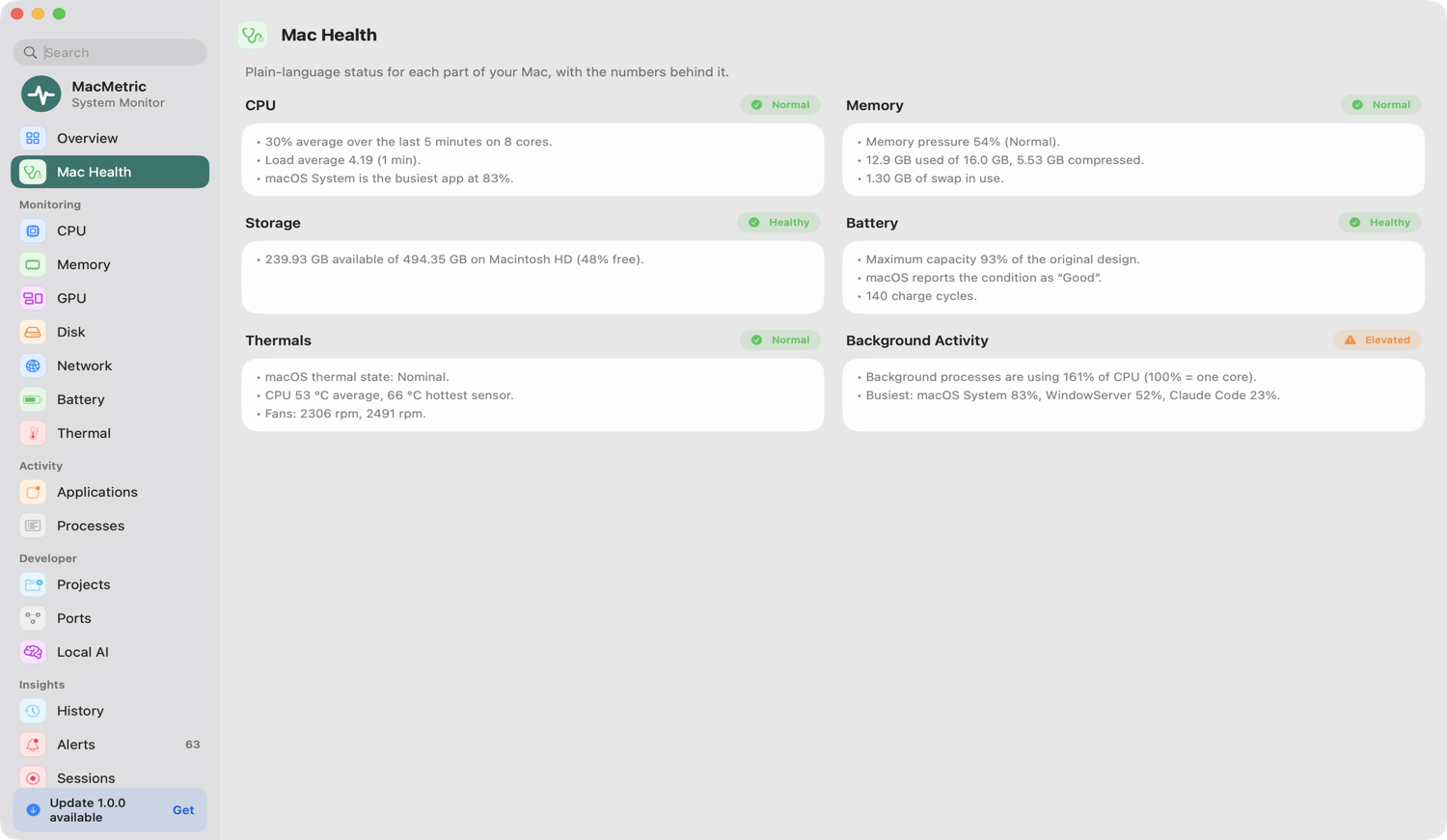
Answers, not just numbers.
MacMetric answers the questions Activity Monitor makes you dig for: why is my Mac slow, what's eating my battery, what's on port 3000, what's filling my disk.
Plain-language status for every part of your Mac.
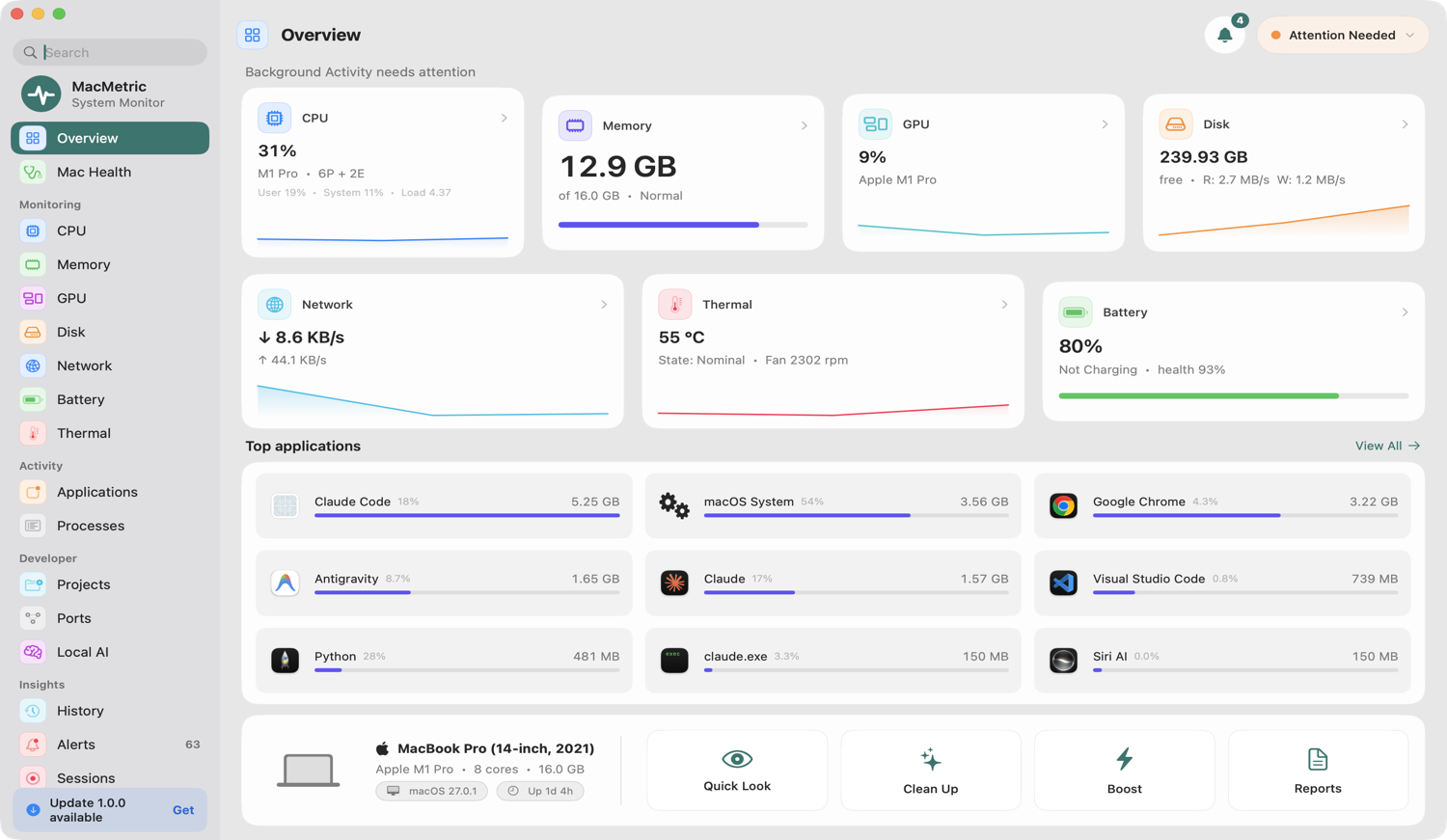
CPU, memory, storage, battery, thermals and background activity each get a clear verdict with the real numbers behind it. No mystery scores.
- One glance tells you what needs attention
- Every verdict shows the data it's based on
- Live "All Systems Normal" status in the menu bar
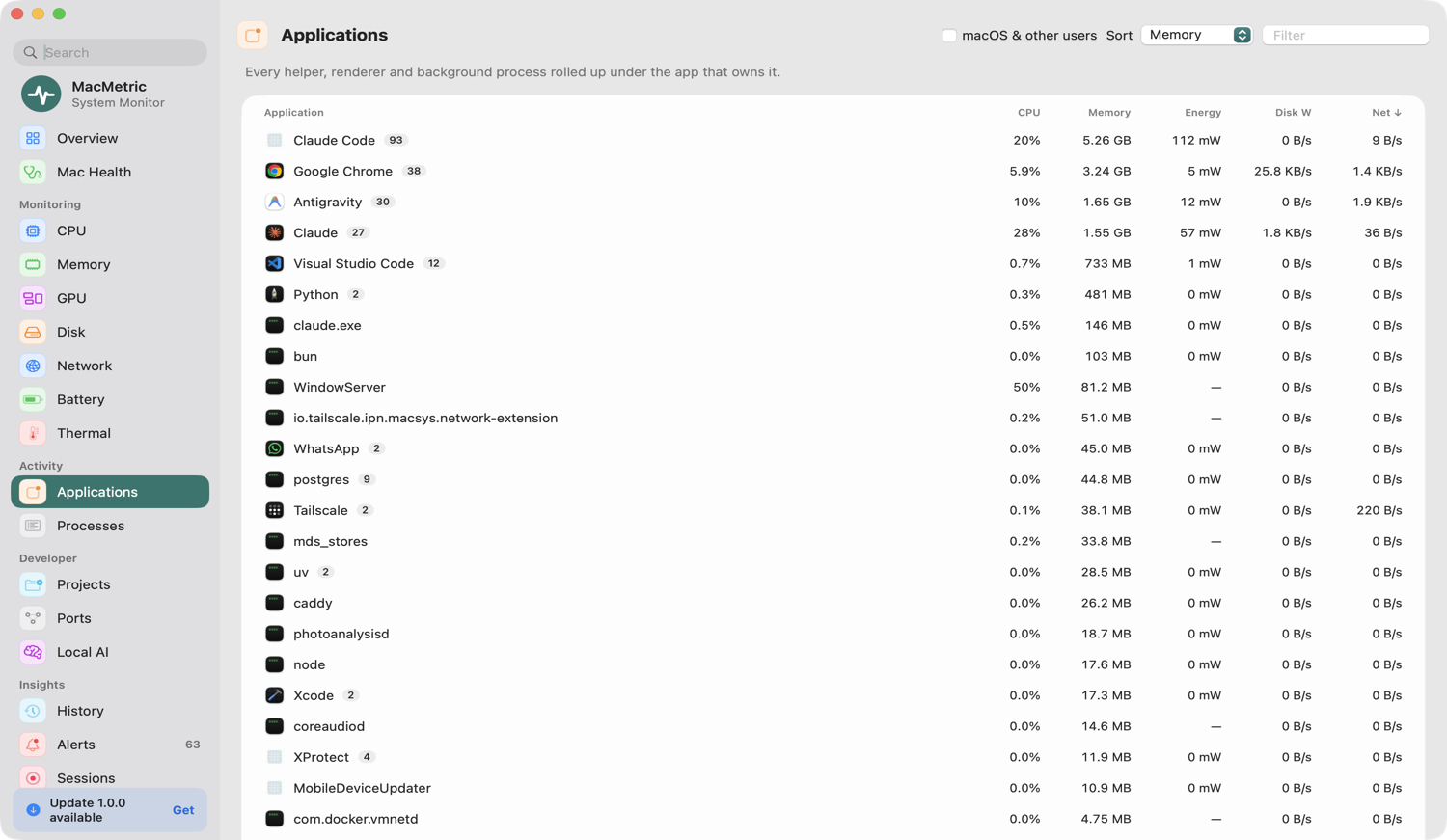
Numbers that match what you actually launched.
Helper processes are grouped under the app they belong to — all Chrome helpers under Chrome, all Electron renderers under their app — so you see the real cost of each app.
- Per-app CPU, memory, GPU and network
- Searchable, sortable full process list
- Stopping a process always asks first
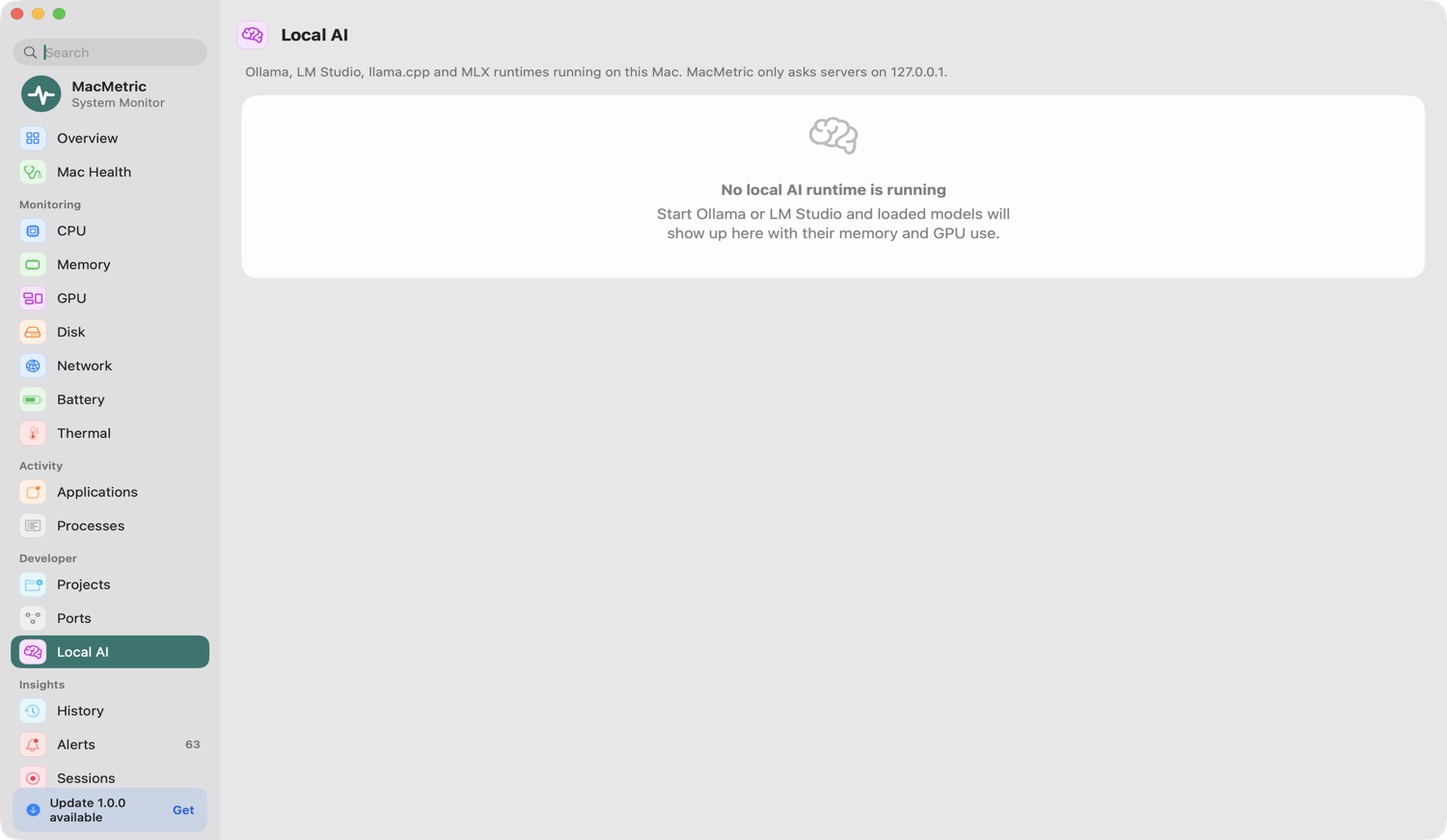
Dev servers, ports and local AI — finally visible.
Projects groups dev servers by the folder they run from. Ports shows exactly what's holding port 3000. Local AI detects model runtimes and Docker containers and their memory.
- Per-project CPU, memory, ports and uptime
- Reveal any project in Finder
- Idle dev-server alerts after 24 hours
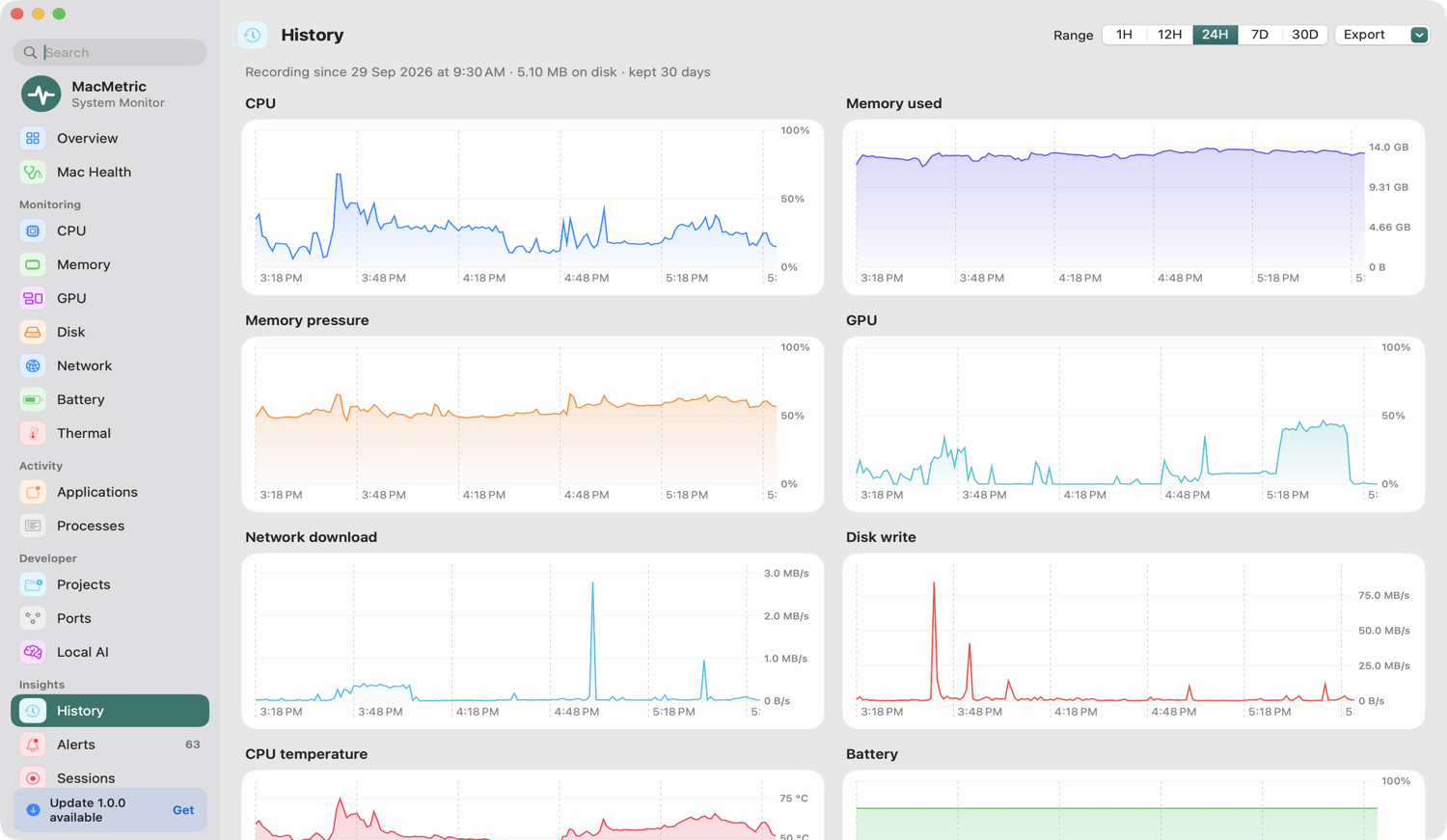
Look back. Compare builds. Find the spike.
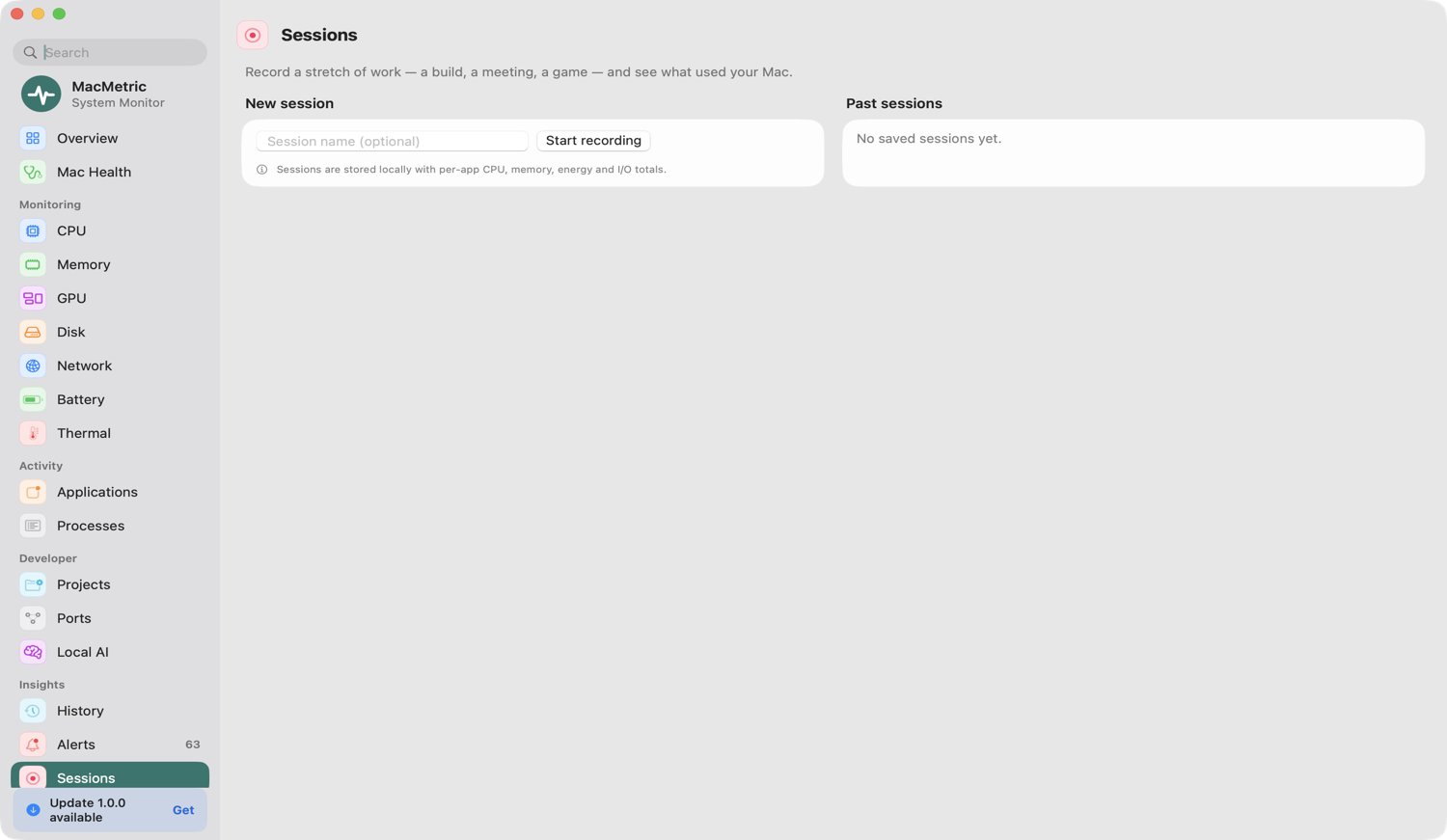
Up to 30 days of history stored locally. Record a session — a build, a video export, a game — and review average and peak resource use plus the busiest apps.
- 1 hour to 30 day charts
- Start and stop sessions yourself
- Delete all history in one click
One useful notification, never a flood.
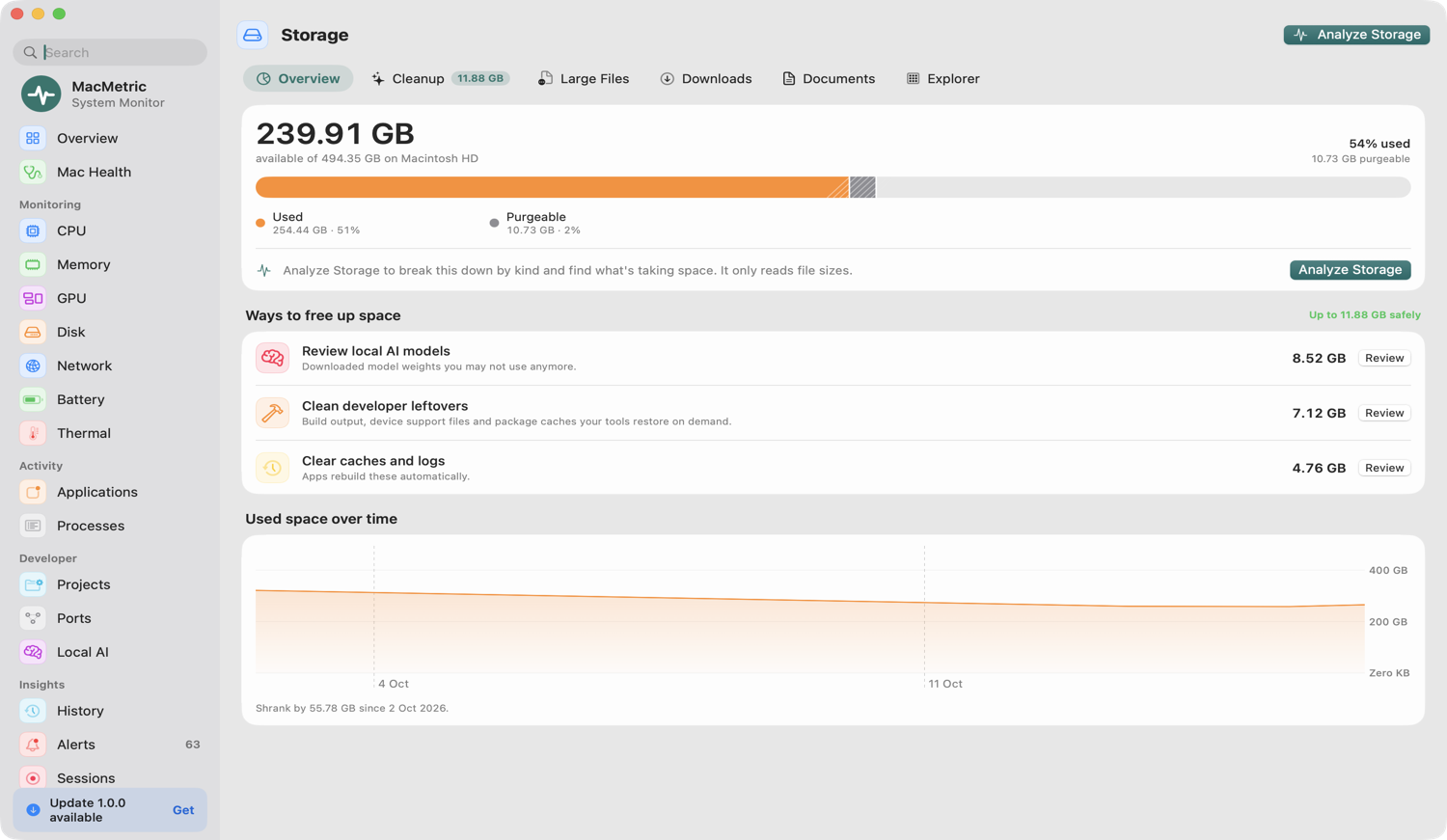
13 editable rules — sustained CPU, memory growth, swap, disk writes, battery drain, heat, low storage — each with a cooldown. Alerts only inform. They never stop anything on their own.
- Tune every threshold and duration
- Anomaly detection for runaway apps
- Notifications switch off with one checkbox
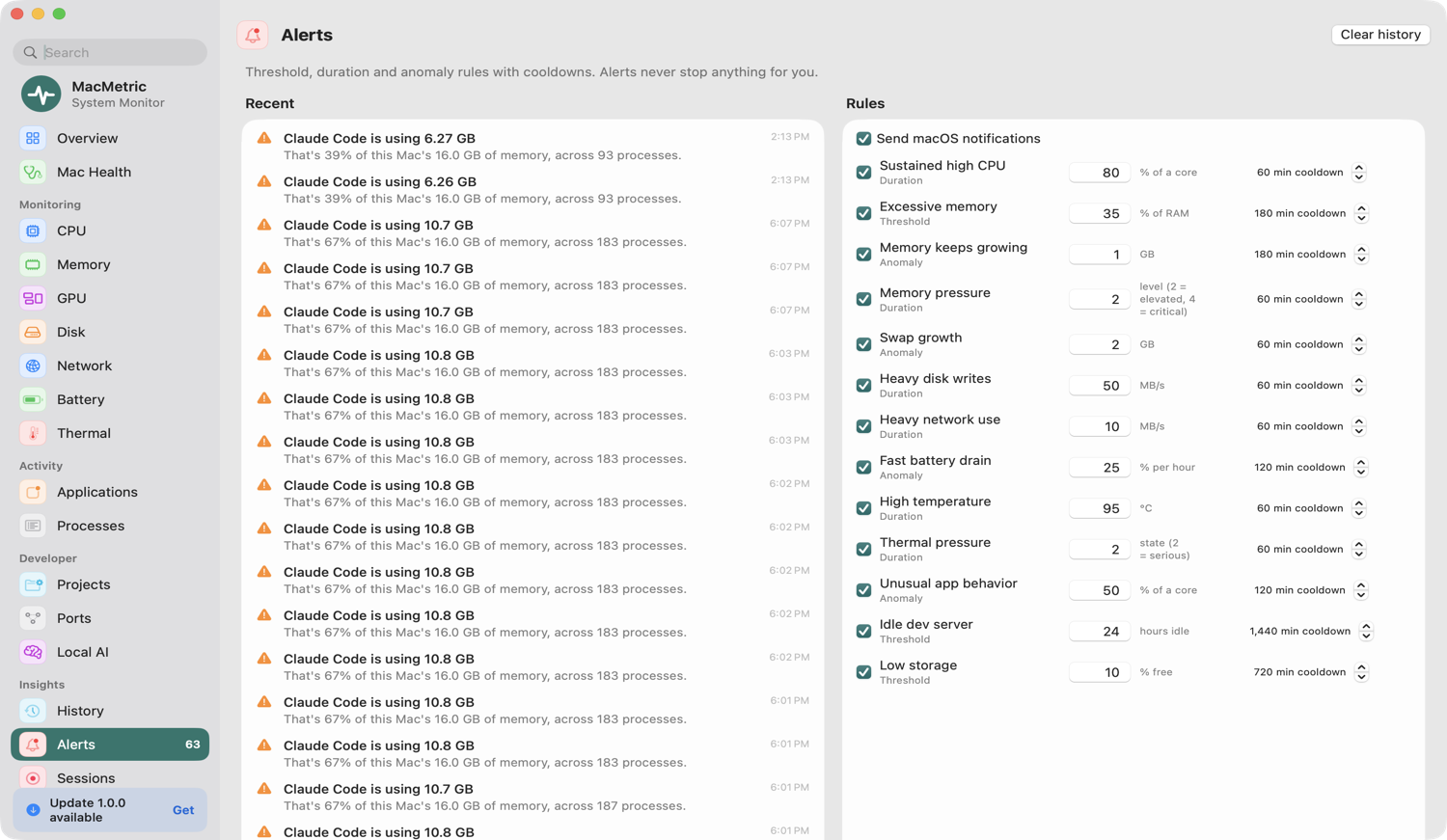
Reclaim space — with safety labels on everything.
Find what's using your disk and see whether it's safe to remove, worth reviewing, or best cleaned with its owning tool. MacMetric never deletes on its own.
- Safe to remove · Review first · Use the owning tool
- Every removal asks first and moves to the Trash
- Scans only well-known locations plus folders you add
What Activity Monitor doesn't tell you.
Activity Monitor is great for a quick look. MacMetric keeps watching — and connects the numbers to the app, project and port behind them.
| Activity Monitor | MacMetric | |
|---|---|---|
| Per-app totals, helpers included | One row per process | All Chrome or Electron helpers grouped under the app |
| History | Live graphs only | Up to 30 days, stored on your Mac |
| Dev servers & ports | — | By project folder, with what's holding port 3000 |
| Local AI & containers | — | Model runtimes and Docker containers with their memory |
| Alerts | — | 13 editable rules with cooldowns |
| Storage cleanup | — | Safe-to-remove, review-first and use-the-owning-tool labels |
Probably not for you if you need Intel Mac or pre-Sequoia support, remote monitoring of other machines, or a tool that cleans up automatically. MacMetric only acts when you confirm.
Every vital, one click away.
Seven dedicated monitoring pages, each with live charts and the top consumers behind the number.
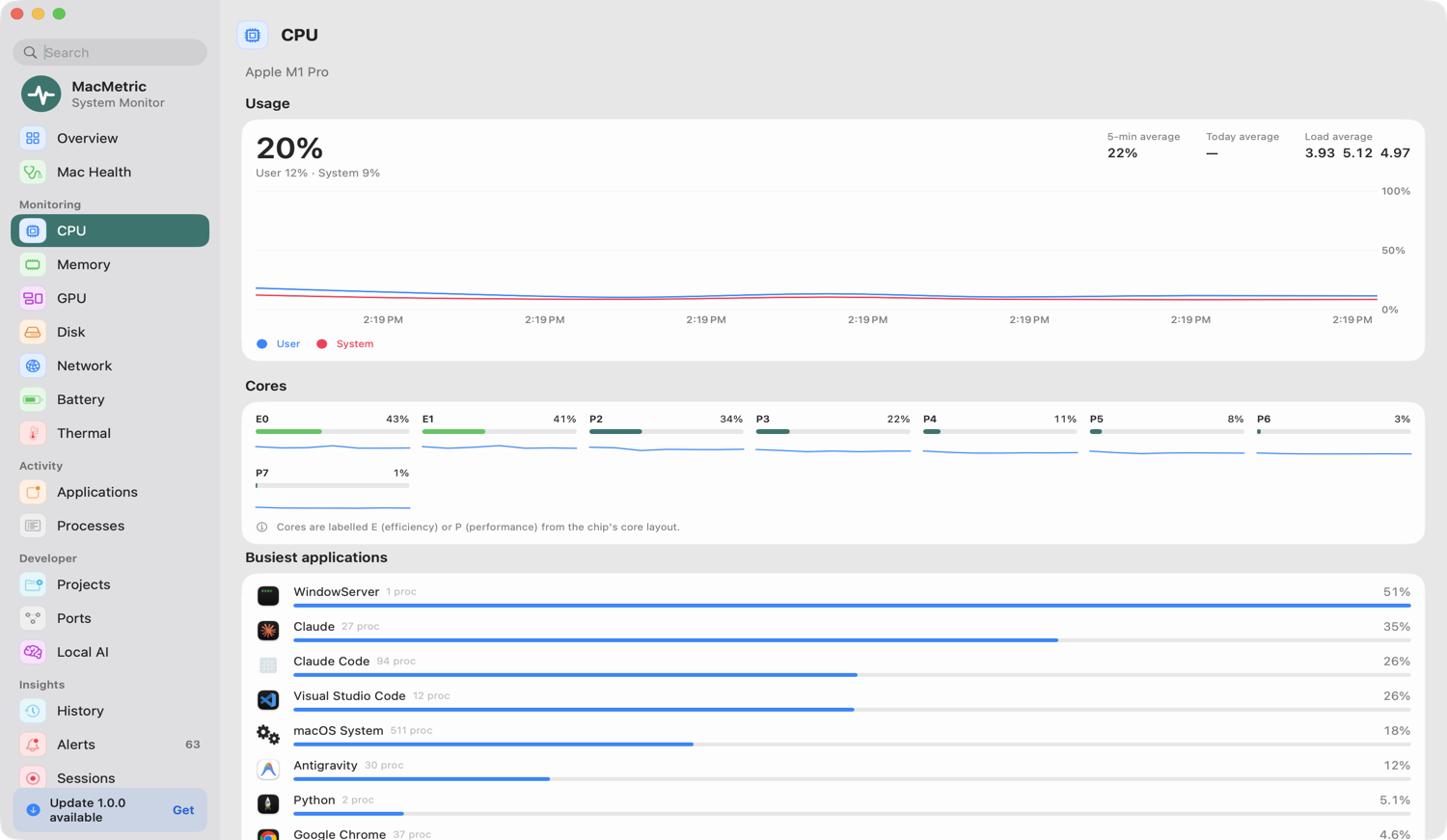
CPU
Total, user and system load, per-core usage, load average and the top consumers — so you know whether it's one runaway app or the whole machine.
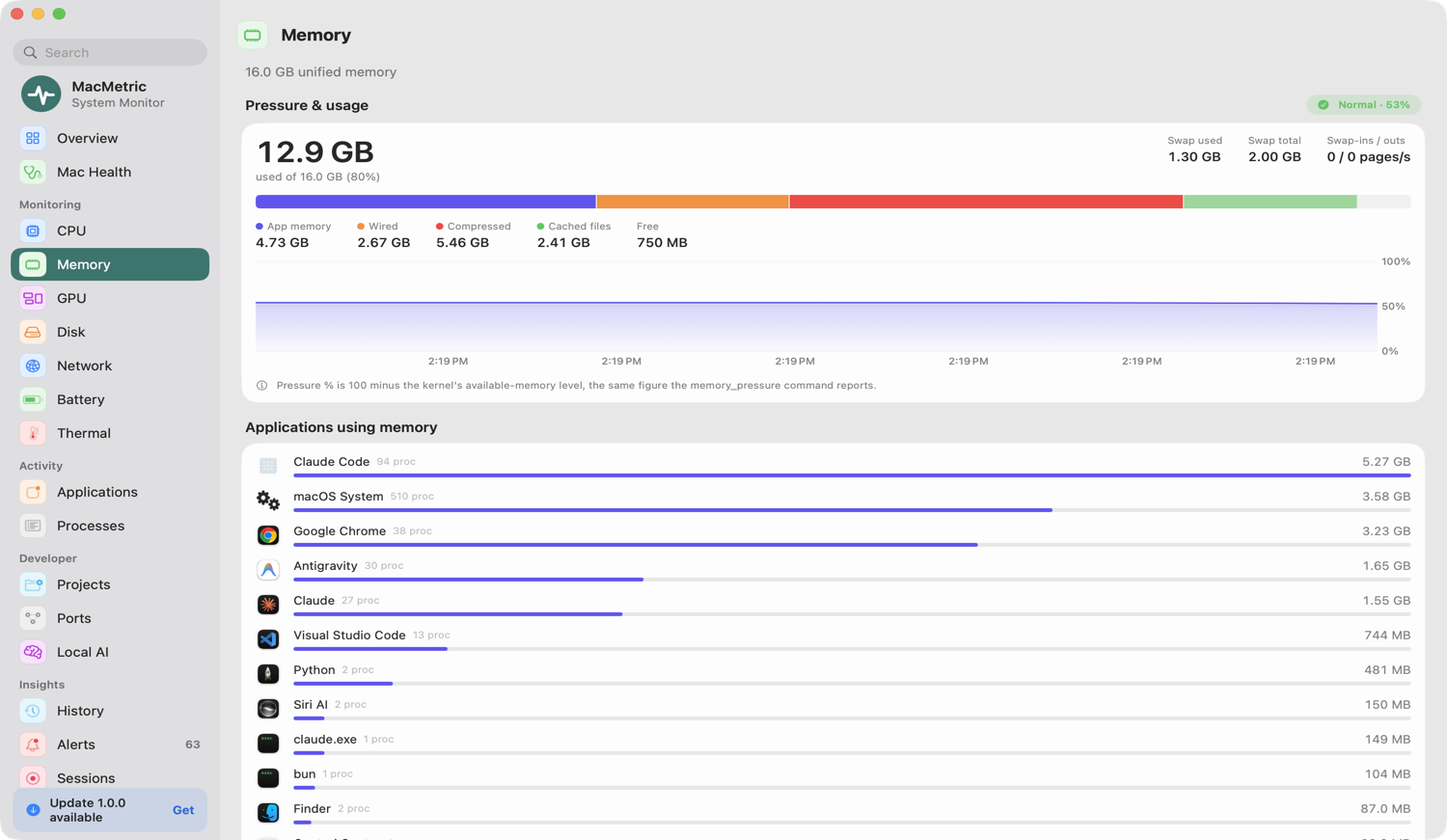
Memory
Used, compressed and swap memory, memory pressure and the largest apps. See pressure rise before things slow down.
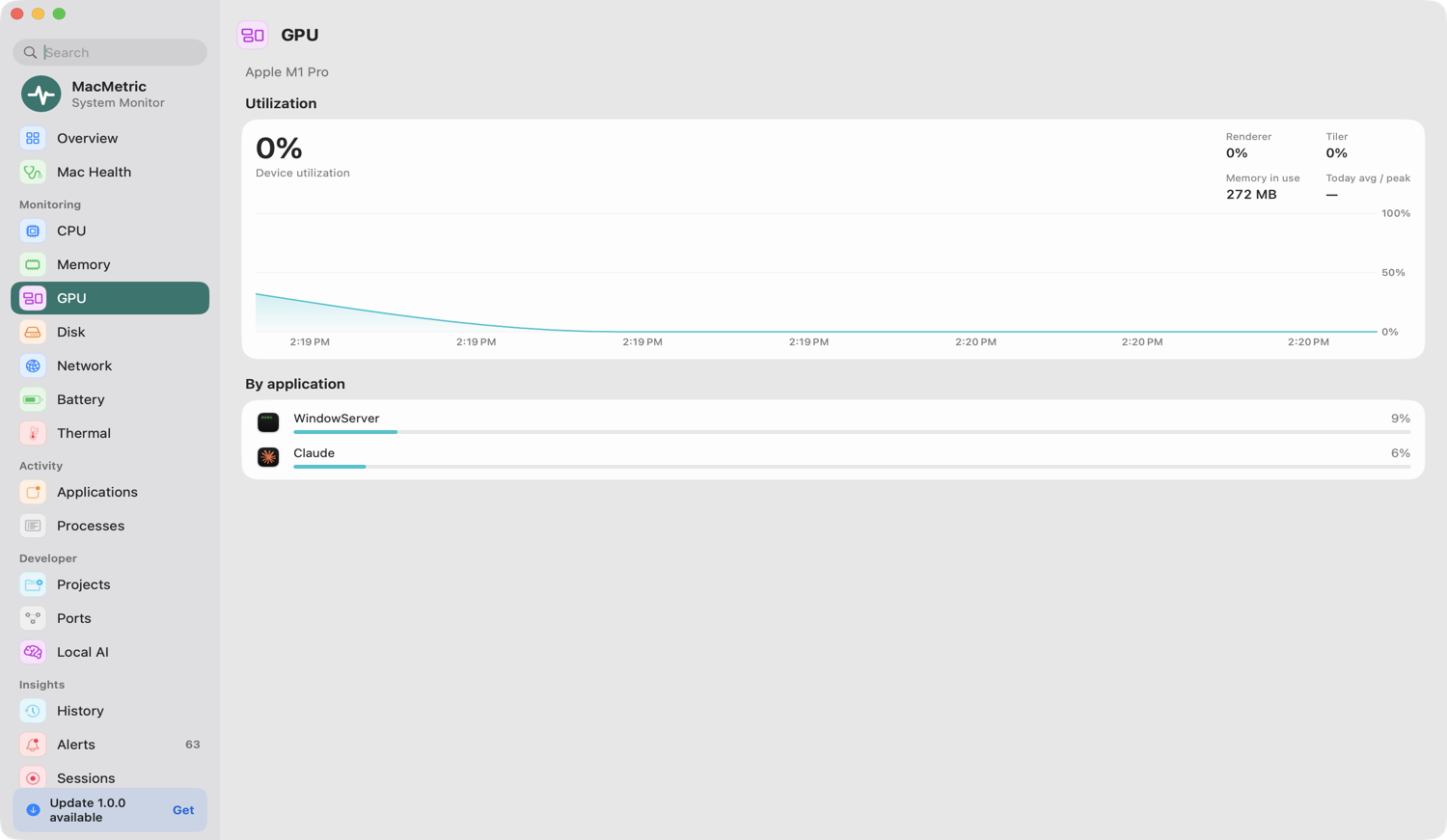
GPU
GPU utilization and per-app GPU time where macOS exposes it. Great for spotting what's keeping your GPU awake.
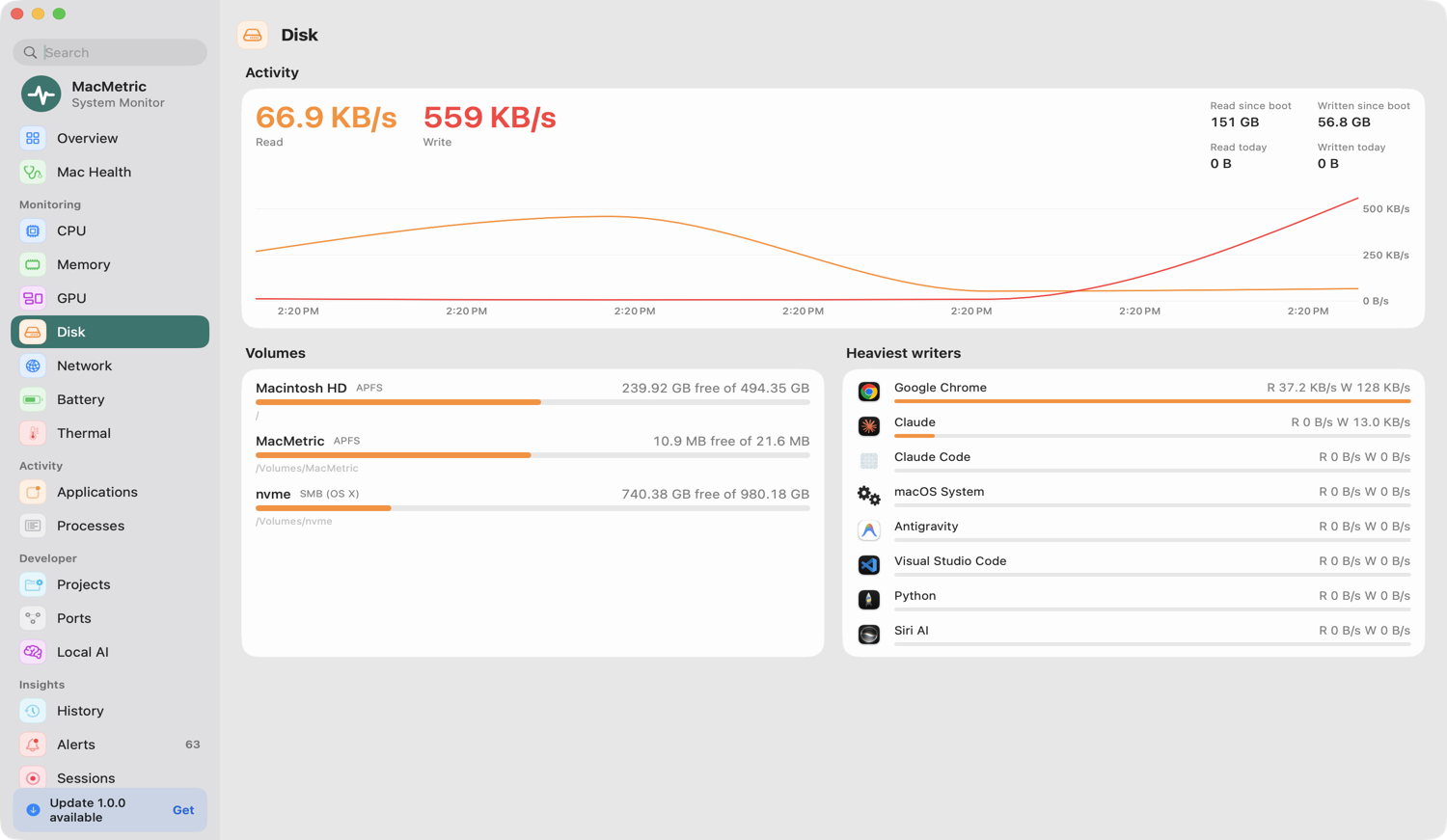
Disk
Free space, read and write throughput, and the busiest processes. Catch heavy writers before they wear on your SSD.
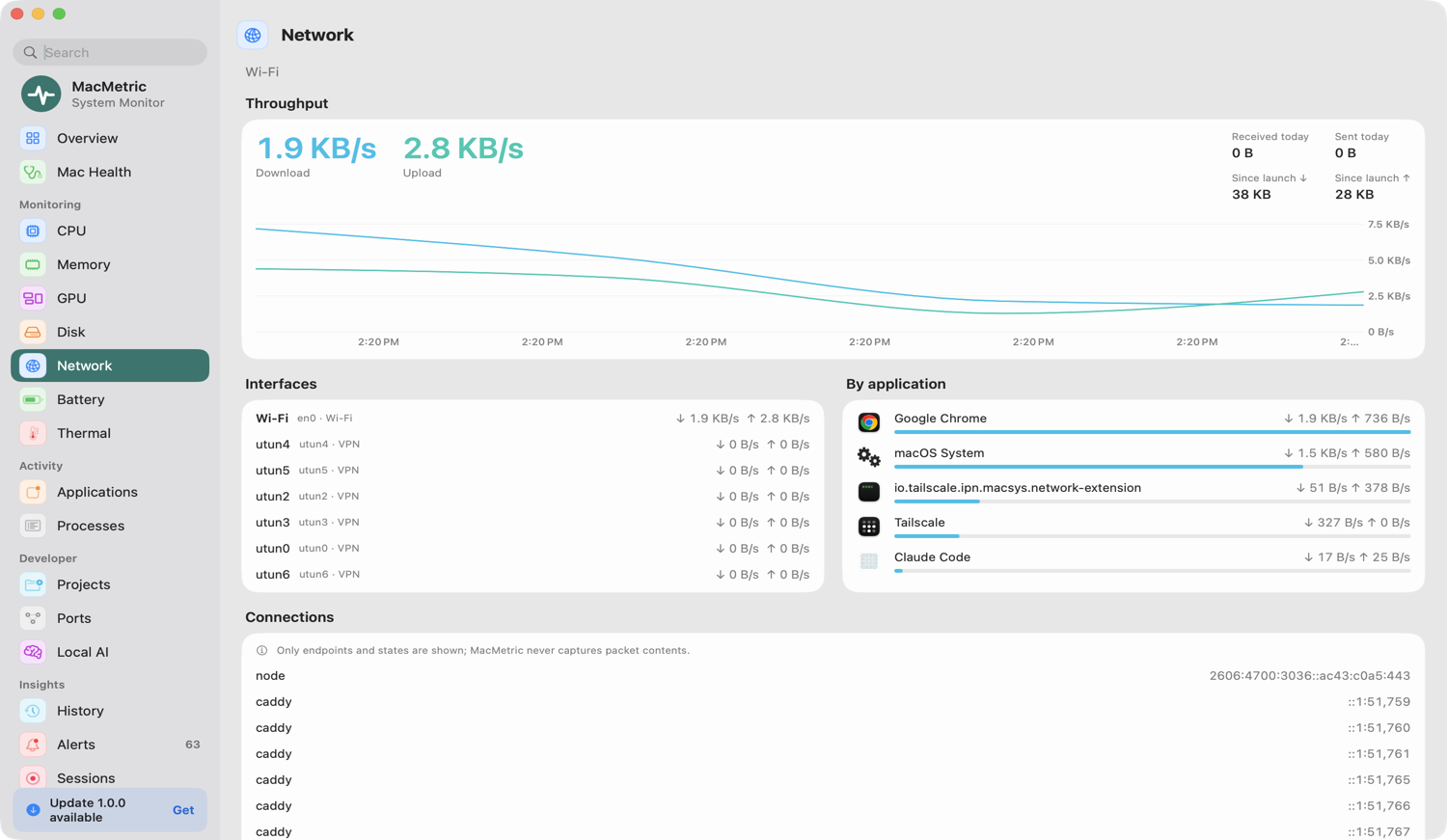
Network
Live upload and download speed, per-app traffic, shown in Mbps or MB/s — whichever you think in.
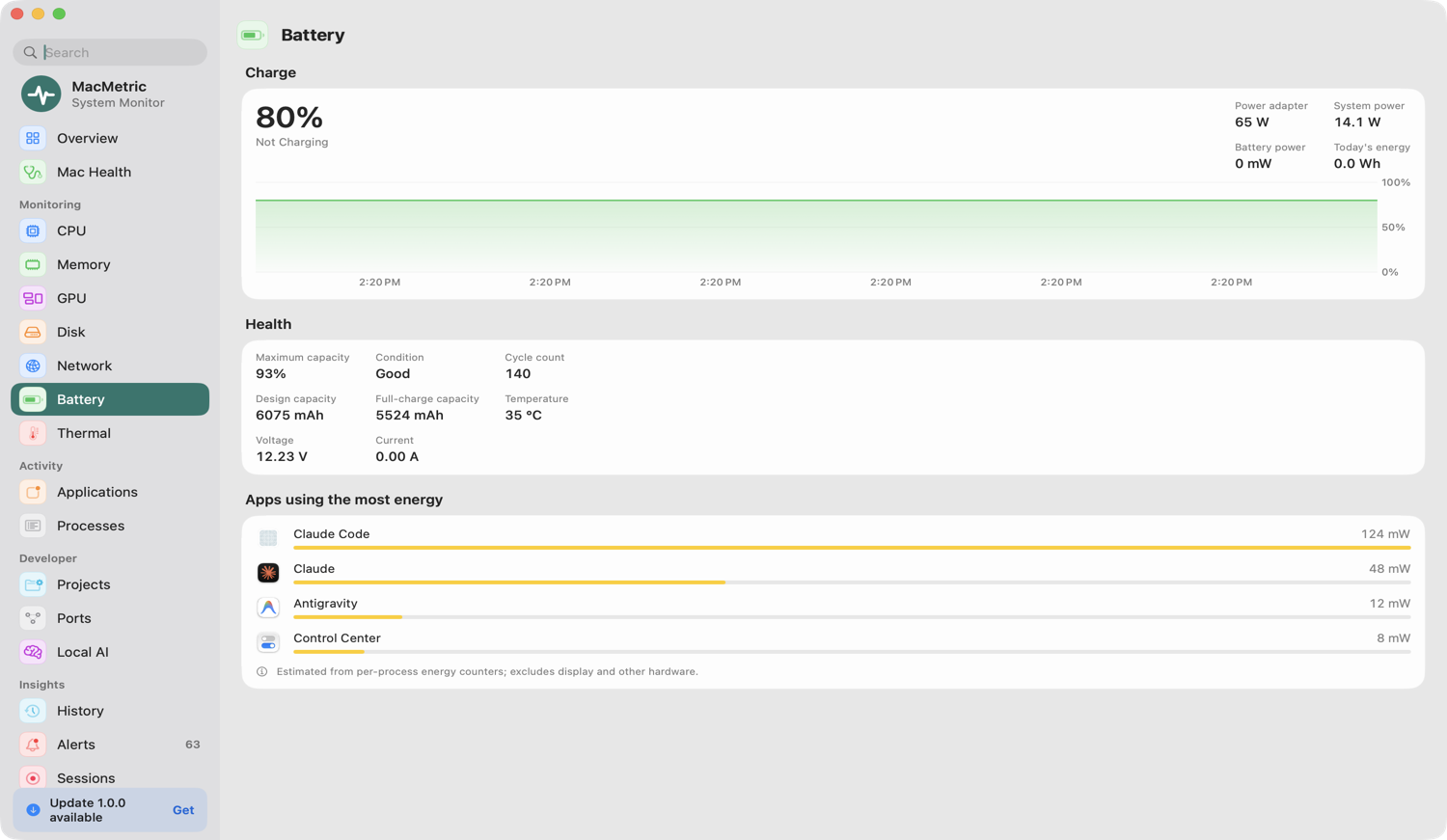
Battery
Charge, health versus design capacity, cycle count, power draw and time remaining — plus alerts when drain is unusually fast.
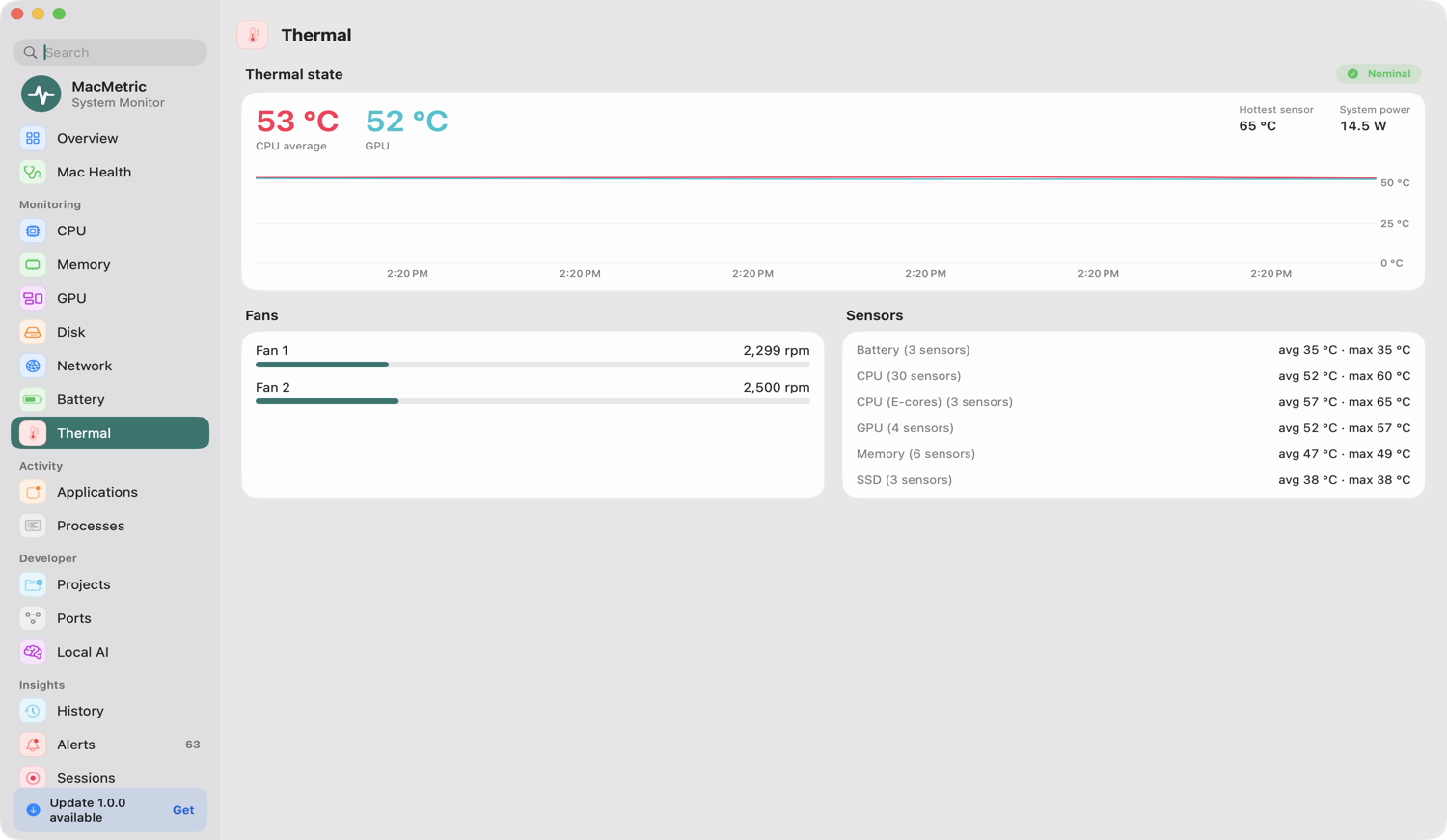
Thermal
macOS thermal state, CPU and sensor temperatures and fan speed, in °C or °F.
Small details that add up.
Menu bar, your way
Icon only, one item with several values, or one item per metric. Choose and reorder what shows.
Light on resources
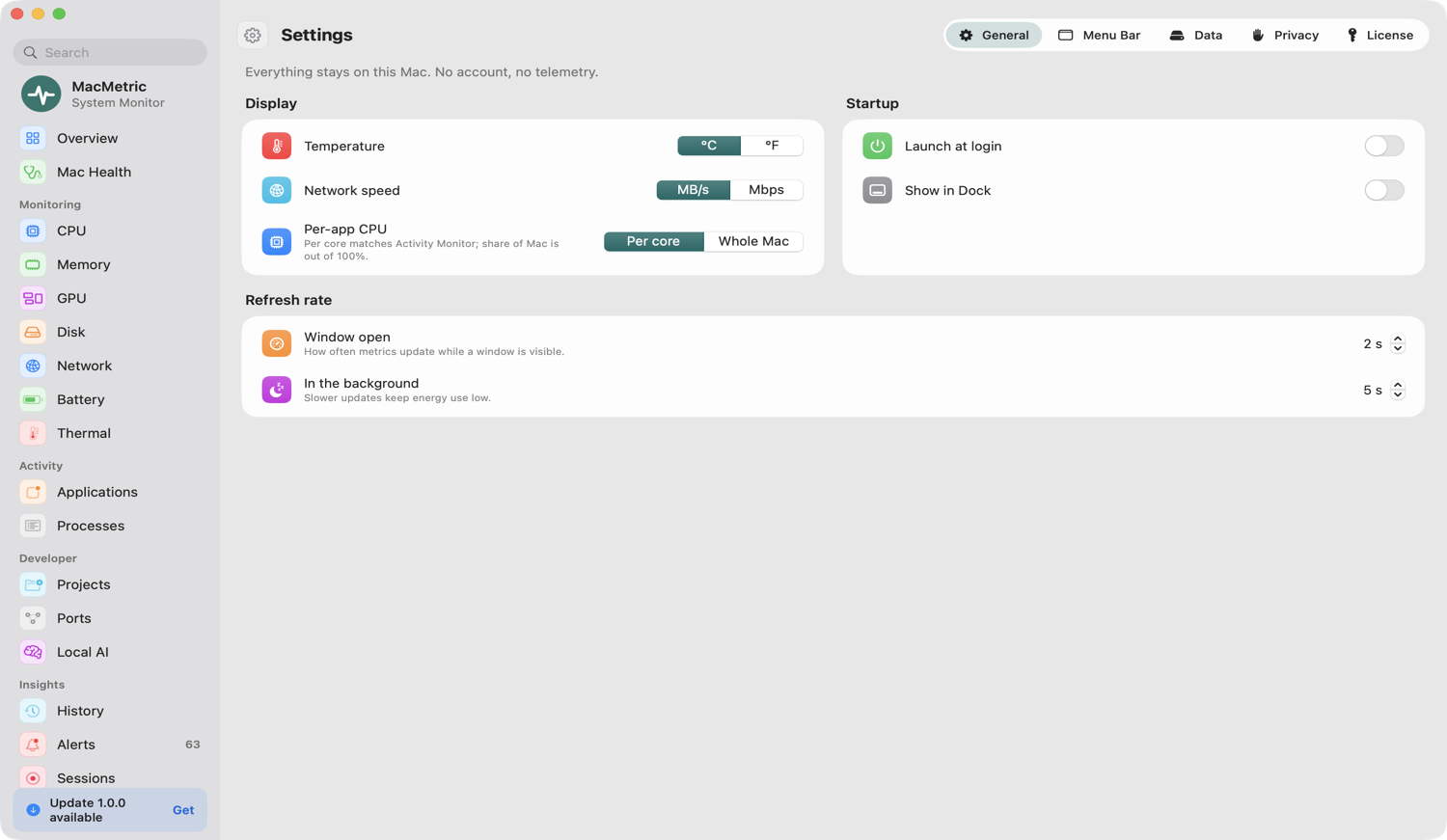
Samples on demand: 5 s in the background, faster only for the page you're viewing.
Sound & devices
Change output device volume and see paired Bluetooth device battery levels. Audio is never recorded.
Quick search
Jump to any of 21 pages from the sidebar search box.
Native SwiftUI
A few thousand lines of Swift, no third-party dependencies — only Apple frameworks.
Launch at login
Optional. Hide from the Dock and live entirely in the menu bar.
Designed to feel at home on macOS.
Click any screenshot to enlarge.
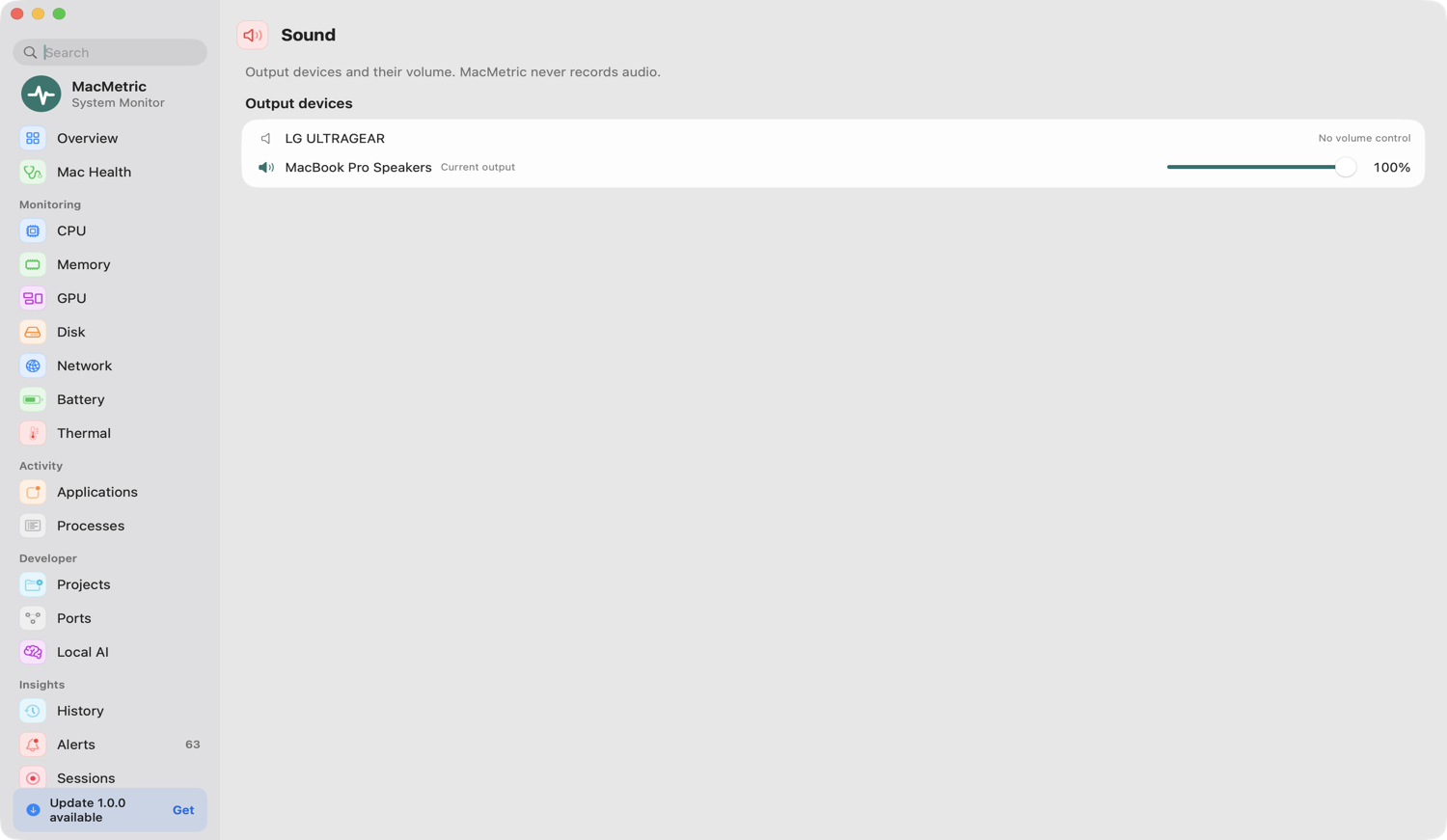
Your data never leaves your Mac.
No accounts, no analytics, no telemetry. MacMetric reads system counters and process metadata — not your files, messages, browsing or screen.
Local onlyYour data never leaves your Mac. The only network use is 127.0.0.1 for local Docker and AI endpoints, plus an optional daily check for updates.
No admin passwordRuns as your user. Missing sensors read "Unavailable" — never guessed.
Never records audioBluetooth and notifications are asked once, and both are optional.
Free to start. $9.99 to unlock everything.
Overview, CPU and Memory are free, no account, no card. Buy a license key to unlock every page. 30-day money-back guarantee.
Free
Overview, CPU and Memory, free forever. Found a bug? Report it from Help ▸ Report a Bug — it goes straight to the developer.
MacMetric
One license unlocks every page, history and alerts. 30-day money-back guarantee.
Up and running in a minute.
Download
Get the MacMetric DMG using the button below. About 3.7 MB. It runs free until you add a license key.
Drag to Applications
Open the DMG and drag MacMetric onto the Applications shortcut.
Launch
Open MacMetric from Applications or Launchpad. It appears in your menu bar.
$xattr -dr com.apple.quarantine /Applications/MacMetric.app
Verify with shasum -a 256 MacMetric-1.0.0.dmg ·
Good questions.
Is MacMetric free?
The free version includes Overview, CPU and Memory with no account or card. A one-time $9.99 USD license unlocks every page, with a 30-day money-back guarantee.
What does the free version include?
Overview, CPU, Memory and Settings. The other pages show an upgrade screen until you enter a license key. Keys are verified offline on your Mac.
What if something goes wrong?
Report problems from Help ▸ Report a Bug in the app. If MacMetric ever quits unexpectedly, it offers to email a short crash summary to the developer — only if you choose to send it, and never to Apple.
Which Macs are supported?
macOS 15 Sequoia or later on Apple Silicon (M1 and newer). Intel Macs are not supported in this release.
Does MacMetric send any data anywhere?
No. There is no telemetry or analytics. The only network connection it makes is to 127.0.0.1 to check local Docker or AI endpoints you already run.
Why does macOS say it can't verify the app?
This release isn't notarized by Apple yet. Use Open Anyway in System Settings → Privacy & Security, or the one-line Terminal command above. You only need to do this once.
Will it slow my Mac down?
In the menu bar it samples every 5 seconds and pauses expensive collectors unless their page is open. With the main window open at 2-second refresh it uses more CPU — close the window or raise the interval in Settings.
Can MacMetric delete files?
Only when you ask. Every removal asks for confirmation and moves items to the Trash so you can put them back.
How do I report a bug?
Choose Help ▸ Report a Bug… in the app (or Settings ▸ Support, or the menu bar icon's right-click menu). It opens an email to [email protected] with your app and macOS version filled in.
How do I uninstall?
Quit MacMetric from the menu bar, delete it from Applications, and optionally remove ~/Library/Application Support/MacMetric.

Start free. Unlock for $9.99.
Free version, then $9.99 USD for everything.
Download for MacVersion 1.0.0 · 30-day money-back · macOS 15+ · Apple Silicon